
If you are traveling, offline, at a conference without connection, utilize the mobile download function on our apps. Mobile and web sync, so if you are offline and download chapters and complete them, once online again that sync will go through on all devices.
The download center is accessed on the top left of the app is where you can select items to take with you on-the-go.
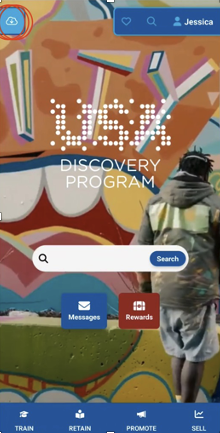
Once the downloader icon has been selected it will direct you to this screen:
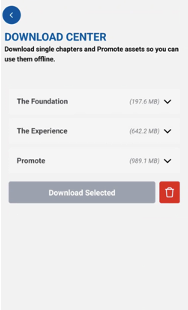
This is where you can select what chapters to download.
NOTE: no web links can be downloaded.
Once you have selected everything you wish to download, press the download selected button:
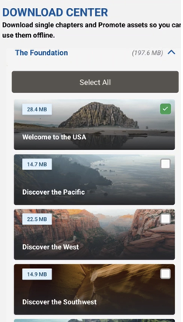
These items will then be downloaded to your device. The downloader will let you know how much data needs to be available to download everything selected.
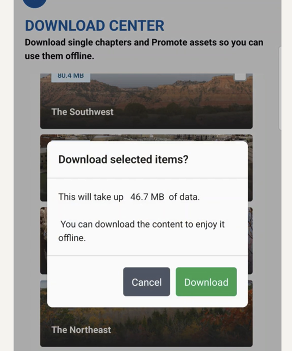
In order to download any content, you need to be connected to wifi.
Once download is complete, you will get notified with a checkmark as well as a popup:
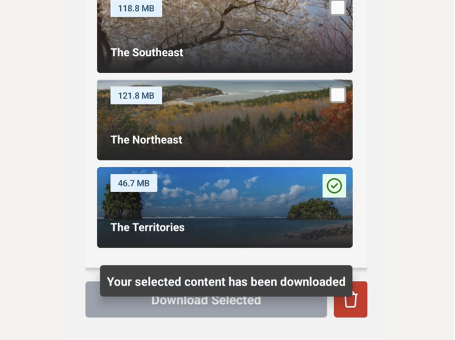
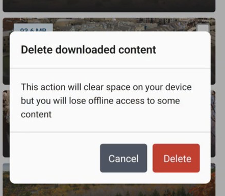
Whenever you are done using downloaded content, hit the trash can button and it will delete the downloaded content from your device, freeing up the storage space it was using.